Free
Step 1 of 4
Home
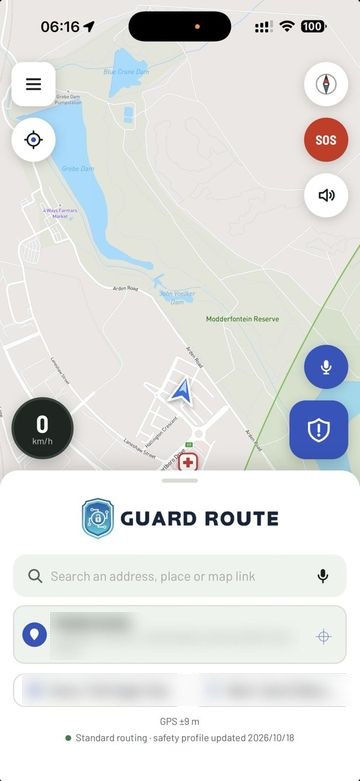
Search, saved places and SOS in one place.
Open the app and you land on the map. Search an address, tap Home or Work, or reach SOS in one tap. Navigation is free to use.

App demo
Step through the four screens you use most. One app for iPhone and Android, with Apple CarPlay and Android Auto.
Step 1 of 4
Search, saved places and SOS in one place.
Open the app and you land on the map. Search an address, tap Home or Work, or reach SOS in one tap. Navigation is free to use.
Step 2 of 4
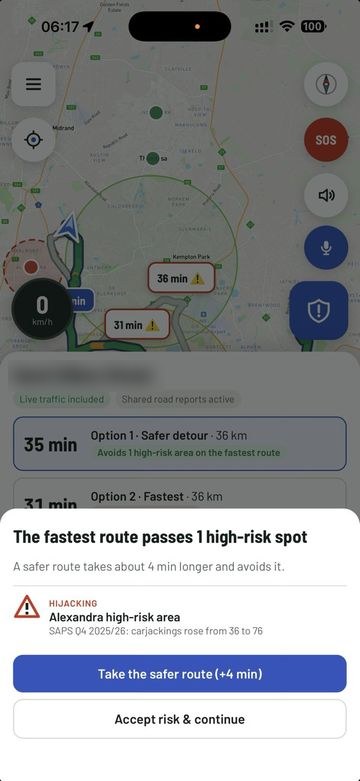
See risk areas before you set off.
Guard Route shows the route options with live arrival times. If a route passes a reported risk area, you see a safer option and the time it costs.
Step 3 of 4
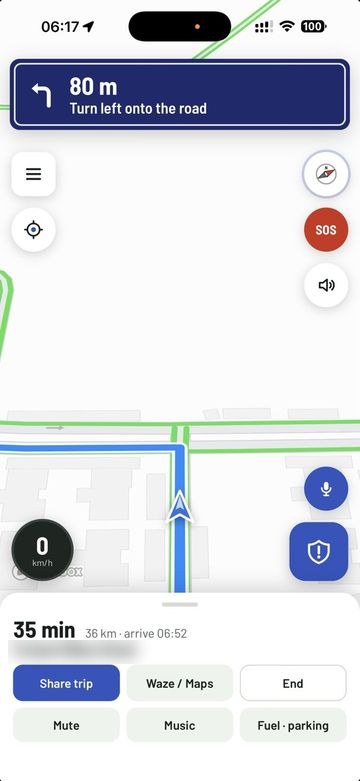
Turn-by-turn with live traffic.
Clear turn banners, voice directions, your speed and live arrival time. It runs on your car screen through Apple CarPlay and Android Auto.
Step 4 of 4
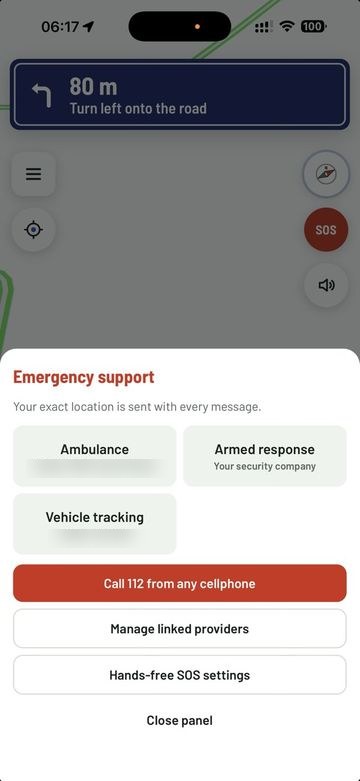
Your linked services, ready.
With the optional safety subscription, link the armed-response, tracking and ambulance services you already use. An SOS sends your live location and details to the services you chose.
Screens shown on iPhone. Personal details in the screenshots are blurred. The Android app is the same app and follows the same design.
Built for iPhone, with Apple CarPlay on your car screen.
Built for Android phones, with Android Auto on your car screen.
Tracking, security, medical-aid and network companies can see the full flow with their own service linked. See the partners page.
Guard Route is not an emergency service, ambulance service, armed-response company or tracking company. In an emergency call 112 from any cellphone or the SAPS on 10111. The optional safety features send your alert to the services you choose and cannot guarantee a response. Read the full safety disclaimer.
Explore the daily driving experience on iPhone and Android.